Watermark Software is the best Watermark Creator ever. It meets all the needs for protecting any online photos. Its options are amazing & beyond your imagination.
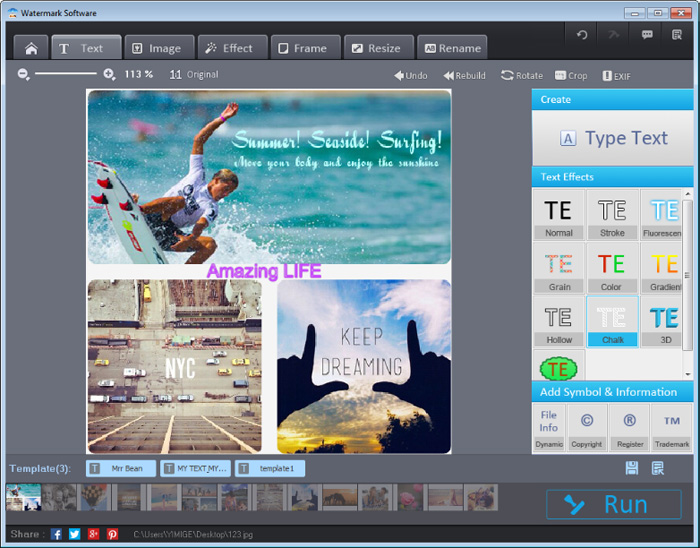
It's a specialized watermark creator for protecting image copyrights by adding text, image, signature, or logo to your photo. It perfectly avoids unauthorized use by others. Besides, it allows you to retouch photos and make photos more vivid at the fastest speed.
Part 1. Incredibly Versatile Text Watermark. Ideal choice to show.
Part 2. Wonderful Image Watermark. Your best water mark maker selection.
Part 3. Effects on The Photography Watermark Maker
Part 4. Other Delightful Performances You Like to Know About
When we want to add text watermark to numerous photos, the wonderful text effects matter much. This watermark maker allows you to add ten kinds of texts. As you can see below, you can create much.

“I’m into this watermark creator since I began to use it. I like the rich effects in text watermark. It provides me with various ideas to make my signature best. It’s the only software for text watermark which I like best. Simple, Auto & Efficient.”
-Kate Biber.


For the time being, you can add any digital image to any photos as you wish. You have plentiful choices to make beautiful image watermark, like changing image watermark opacity or adding adjustable shadow in image watermark.

“ I’d like to use the photography watermark maker to create watermark on photos. And I have a lot of fun by using it. There are many choices for logo water mark. If you force me to find its defects, I’m afraid that I can’t find them. ”
-Tom Reddington.
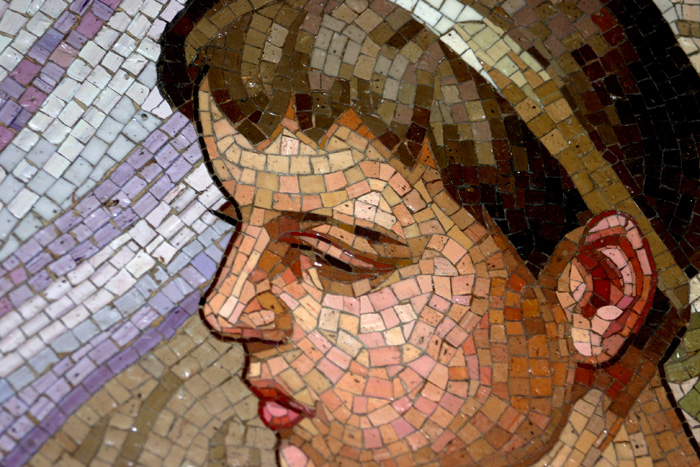
In this watermark maker, tens of photo effects are embedded in. Besides, you are allowed to build Mosaic, Bokeh or create special color effect to one photo. So there is no need to worry about the limitation on effects. In other words, you can always get your wanted effects in the best watermark maker.

Without doubts, Watermark Software is the best photo watermark tool to create watermark on photo. It has the most advanced watermark engine, so it keeps the fastest record of processing 300 photos in 1 min. Because of this, it’s a merit batch watermark application. Besides that, you may need to resize photos or rename photos or simply add frame to photos in batch mode. And this water mark maker has all these functions. Only 3 steps, you will get your wanted photos.
Below is the official data we get:
Over 500,000 users use this water mark maker to resize photos.
Over 300,000 photographers use the watermark creator to rename images.
About 100,000 netizens use this water mark creator to add frame to photos.
All these data proves it the best watermark maker. Wanna try it on your own? No problem, it’s free download:
After using, you can share your using experiences here by writing to this Email.
Watermark Software (photo edition) : This watermark tool provides professional image protecting solution for your online photos. The exclusive image processing technology lets you able to watermarking 500 photos within 1 minute.
Create Watermark - to Your Photo with Watermark Software
What is Watermark Software - a simple program for watermark protection
Watermarking Software - how to choose and use proper watermarking software to protect your photo copyright easily and fast
Photo Watermark Software - Protect Your Pictures with Various Effective Watermarks
Best Free Watermark Software - of 2014
Create a GIF - from Any Video Easily
Digital watermarking - is a kind of marker covertly embedded in a noise-tolerant signal such as audio or image data.