How can we create fabulous photo watermark? We do need to protect our images and promote our images at the same time by adding photo watermarks.
Once placed photos on the Internet, we have to face the fact that we may lose them. Using “Save image as” & screenshots makes it effortless to download photos and use them with no limits. Although copyright law is out there, we can’t safeguard our photos without strong method. Adding photo watermark in digital photos, commonly used by photographers, is a good way to protect image copyrights.
Part 1: What Can Photo Watermark Bring For Us?
Part 2: About Rumors on Photo Watermark
Part 3: How to Create Beautiful Photo Watermark?

1. Good Image Watermarks Make Photos More Professional.
Photos with good picture watermark always leave us a deep impression that they are fabulous art pieces.
2. Watermarks Safeguard Images and Forbid abusing.
Image watermark provides solid image protection. Copying your photos will also copy your image watermark. So the photos belong to you forever.
3. Watermarks in photos can free advertise our creation.
Your unique photo watermarks can protect your photos as well as advertise them. Photo watermarking signature can tell the world that you are the person who creates all.
1. Bad Watermarks Ruin Photos Sometimes.
In Otc, 2012, famous PetaPixel Network coverages “ Ugly Watermarks” to show how some ugly watermarks ruined the photos.
However, if we read deeper, it can be easy to find that most of the ugly watermarks come from some cheap photo watermark software. So technically, it’s not the issue of photo watermarks. Or it seems the owner want them to look in that ugly way. Without a watermark, anyone can still make the same ugly effects by adding ugly elements. In reverse, a perfect photo watermark software won’t allow to add the ugly. It always adds beauty to photos instead.
What if you don’t want the watermark cover the images? Here is the solution: you can try to add watermark in additional photo fields, like adding subtitle in a film.
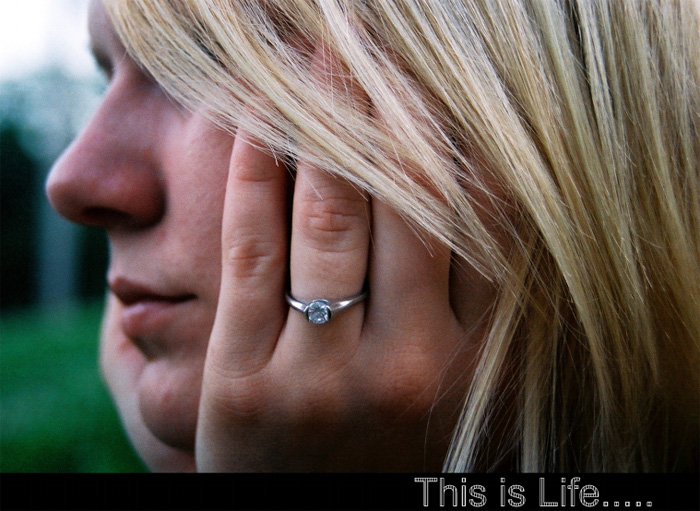
As you can see that adding watermark to photos can make photo look different & even better. The nice photos above are all made from a good photo watermark program - “Watermark Software”. And if you like the photos, you can try to make them yourself with the software.


2. Visible Watermarks Are Controversial Topics.
Even numerous visible watermarks in famous photos are a trend these days, we still hear the voice of disagreement in visible watermarks. If disagreed, you may refer to EXIF photo editor[1] and leave the photo unchanged in visible graphics.
EXIF [1]: EXIF stands for Exchangeable Image File. It stores info like author, camera, picture taking time and other information into photos in an invisible way.
No matter what reasons they tell you on watermark disadvantages, you can never deny the fact of strong protection & importance of watermark.
First thing first, an elite photo watermark tool is key to realize the dream. You might know “Watermark Software” before from your photographer friends. Trust them, it can be your ideal software to create your best photo watermarks.
Take below link to give it a shot.
[Photo Watermark App Download:https://www.watermark-software.com/products/watermark-software/watermark-software.exe]

See, with three steps, you can easily create wonderful watermarks like below.

Want to know more about it? Or simply want to have a try yourself? No more hesitation! It’s free download and trial.
Still have trouble on photo watermark? Please Contact Us >>
Watermark Software (photo edition) : This watermark tool provides professional image protecting solution for your online photos. The exclusive image processing technology lets you able to watermarking 500 photos within 1 minute.
Watermark your photos - to protect your photo's copyright
Watermark Photos - with the easiest way
Photo Resize - with fastest spped (batch mode)
How to Put Watermark on Photo - Understand photo watermark and learn how to put watermark on photo to protect online or sharing photos safety.
Photo Watermark Software - Protect Your Pictures with Various Effective Watermarks
How to Put Text on Photo - Prevent your photo from unauthorized republish the effective way is put text...
Adobe Photoshop is also good photo watermark tool, but too dear.