Part 1. What Features Should A Good Image Watermarking Software Have?
Part 2. What Else Can It Do for Us?
Part 3. How to Watermark Animated Images Simply?
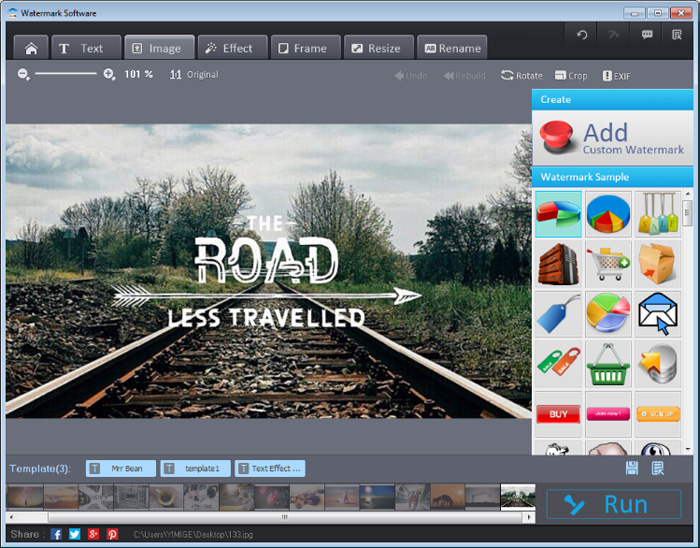
Watermark Software is the best image watermark software. It allows you to turn any image into a watermark, so that you are free to create any image watermarks in any photos. It has a brief interface and supports all photo formats. Mere 3 steps are enough for image watermarking. Final “Run” in the watermark creator will active the mission to create & innovate image with watermark.


It’s time to have a look at the photo watermark software. Open image watermark software, you will be impressed by its cool interface. There are 4 interface backgrounds appeared at random, which are all photographers’ favor.
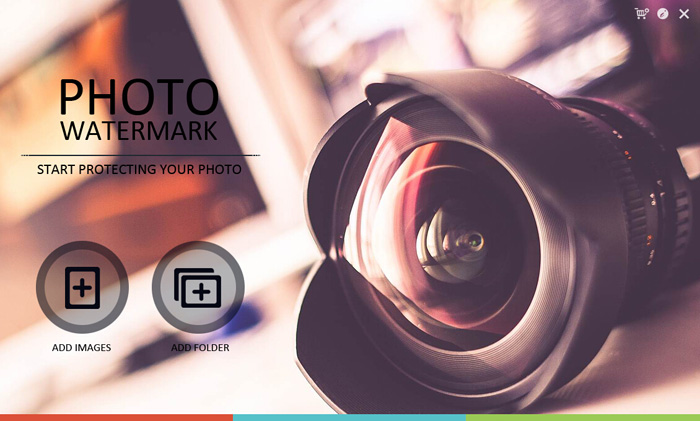
But it’s just an interface for photo loading. Only by finishing loading, can you be lead to the operating window, which has all features visibly blended in. That is the main operating interface.
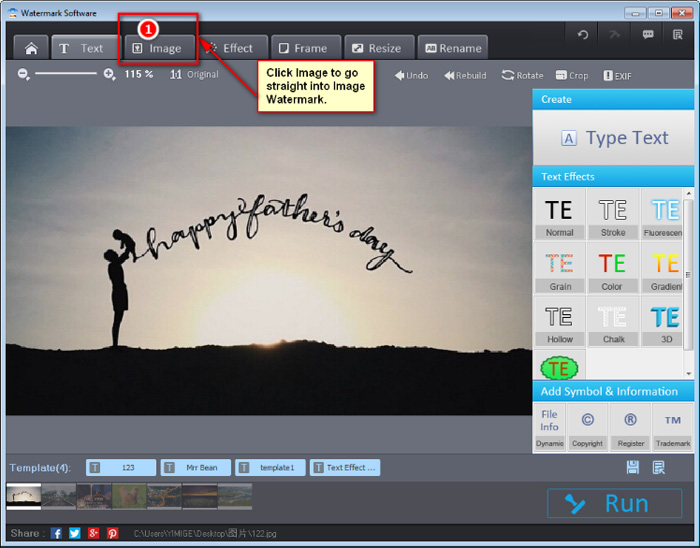
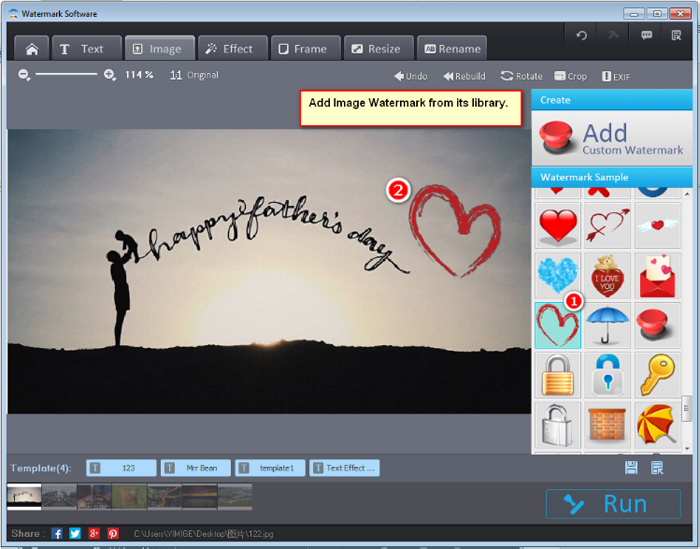
You can choose to add watermark from hard drive or use the watermark in its library. Select “Add Custom Watermark” to add any outside photo watermark from any folder. You are allowed to add any format image, including animated GIF or psd file from Photoshop. Or you can simply click the image demonstrated in the “Watermark Sample” section.
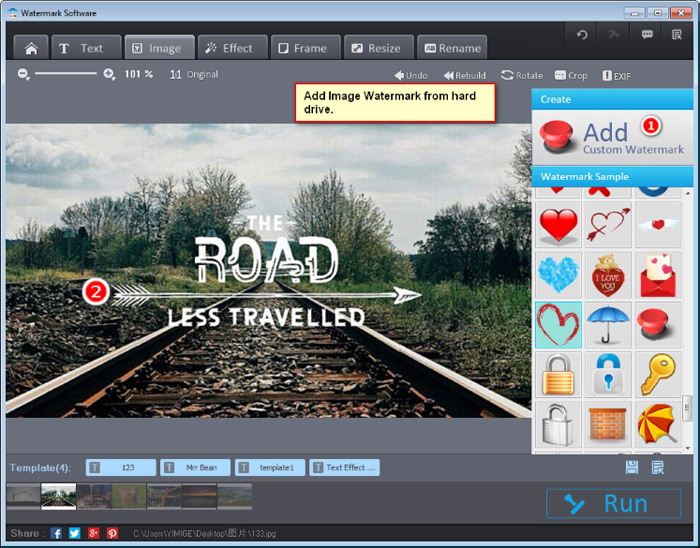
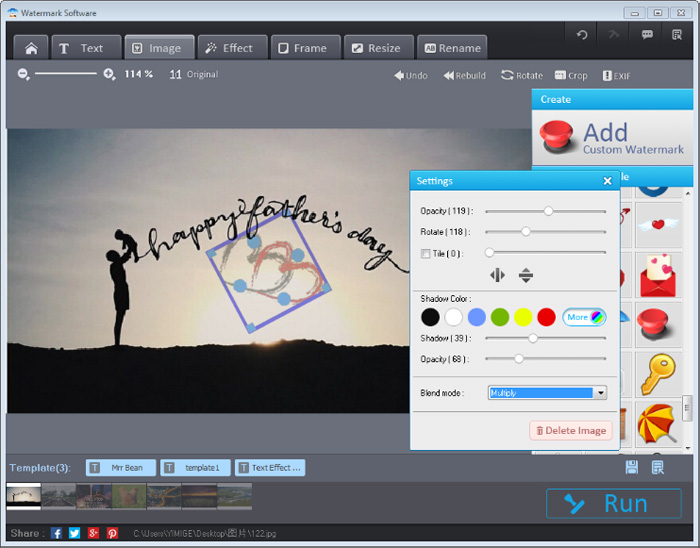
Of course, you can set your image watermarking display. You can change its Opacity, Rotate Rate, Tile using, Shadow Color, Shadow size, Shadow Opacity as well as select its Blend mode. You can change any of these parameters until you get your ideal image watermarks on photos.
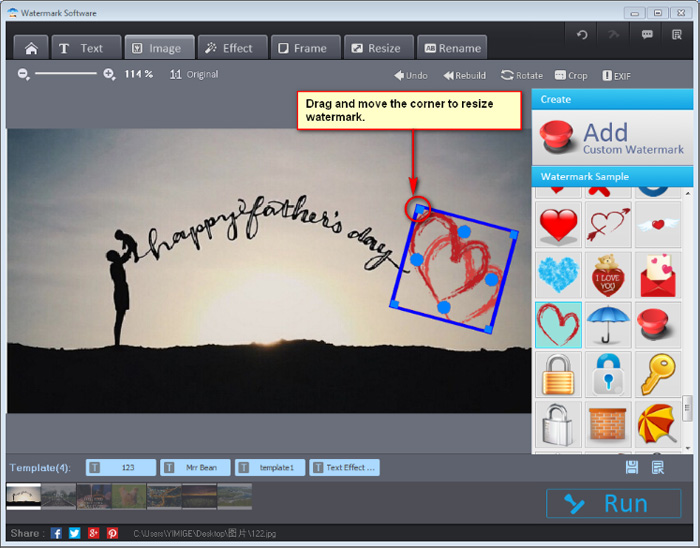
To resize image watermark is also enabled. You only need to drag and move the corner of watermark til its size fit. As for setting image watermark position, it’s pretty easy by dragging the center of it to the place where you like. All are simple operations.
Right after all the modifications, you will be satisfied at last, with an image finally set. Maybe in an interface showed like below, you will like to save the image watermark. For this needs, Watermark Software has Template selection: simply clicking Template button, you can save it & use it next time.
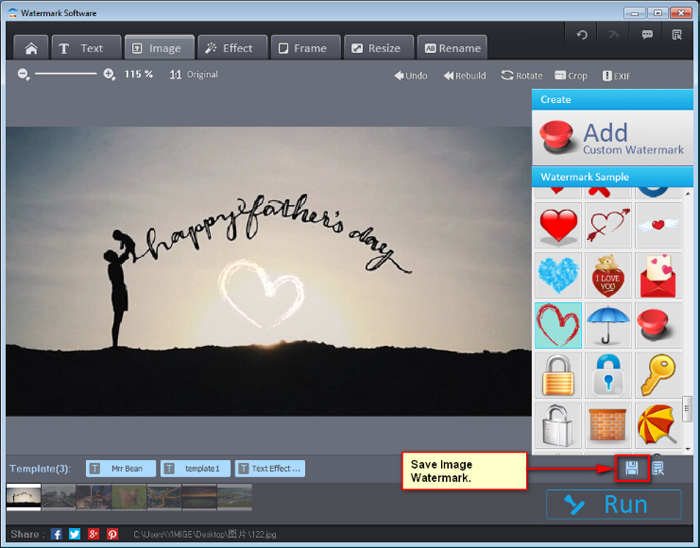
Image watermark software can do better jobs besides the main features above. Glance at the graphic below to know more.


[Effect] Over hundred photo effects are kept for your selection. Filter will satisfy all kinds of needs in beautifying photo. It can mimic high-end camera lens to make a difference in photo, including realize Bokeh, Mosaic, etc.


No way can you find other software to process 300 photos in 1 min. The optimizing solution save your time.

If you want to add still image to animated GIF photos, then you just need to load GIF photos in the very first step, add still image watermark or text watermark, and choose Output Format as “CompuServe Bitmap(*.gif)” in last “Run”. After that, you may see some GIF with watermark in output folder. Below is an instance of it:
Still have trouble on image watermark? Please Contact Us >>
Watermark Software (photo edition) : This watermark tool provides professional image protecting solution for your online photos. The exclusive image processing technology lets you able to watermarking 500 photos within 1 minute.
How to copyright an image - use photo watermark to protect your photos’ copyright with the fastest speed
Add image to video - with Video Watermark Pro
Protect image copyright - when you upload your photo on internet
Watermark image - to protect your photo copyright
How to watermark and batch convert images
How to protect image from web stolen - image protection becomes more and more important for web users.
Watermark A watermark is a recognizable image or pattern in paper that appears as various shades of lightness/darkness when viewed by transmitted light...