Do You Want to Add Text to Picture to Brand Your Work?
How to Add Text to Picture Quickly and Easily?
With increasing popularity of the Internet, more and more people love to share their daily life through social networks. But have you ever worried about your photos shared online? If you do not copyright your photos, most of them might be copied and used without your consent. It is necessary to add text copyright information to your pictures. How to do that? This article will walk you through how to add text to picture in simple steps.
In the era of information explosion, if you share your pictures on website without making some marks on them, you will never know what could happen. Maybe someone will copy your picture without your permission and even put his signature or logo on your pictures claiming these pictures are theirs. People will never know the original author of these pictures. So to brand your pictures and protect your pictures from unauthorized using, you must add copyright information on pictures, like add text to pictures to protect them.
Adding text to picture is a straightforward way to put marks on picture. If add your name to picture, when people see this picture, they will know the original author of it. Although there are many methods to protect your pictures from illegal using, but adding text to picture is simple and effective.
Watermark Software is just the right choice for you to do this task. It is a professional photo watermarking tool, which can help you add text and image watermark to your pictures to build brand awareness. This program is more than an image watermarking software, it still can be used as an image editor, which enables you to crop, trim and resize your photos freely. It is yo1ur best choice to batch watermark your photos. Here I will guide you to add text to picture in one minute, just keep reading.

Download and launch Watermark Software, choose some photos which you want to watermark, and then click "Next" to the editing window.

Watermark software's simple interface will tell you how to set here to adjust aspect ratio of text watermark. You can adjust opacity to meet your need (0-100) and adjust rotate as you like (0-360). You can choose "General" or "Tile" to place you text watermark on images, general is to place one text on images, tile is to fill full text on images. Tile is a strong protecting copyright mode (Alignment setting to control text's azimuth on images)
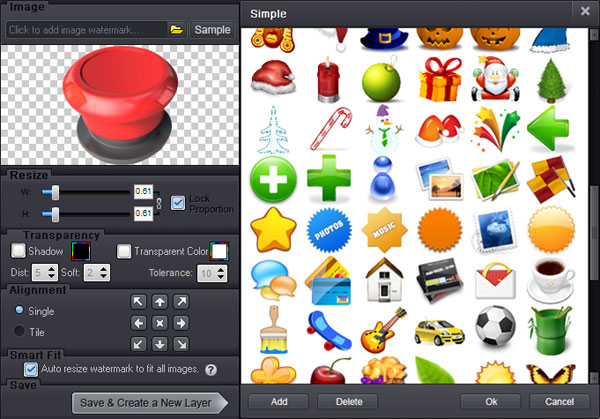
Here, you can have some customized settings. Set width and height, adjust font to choose color, set background color, text shadow. Set underline, bold or italic and other settings. Click "OK" to the Next step.

Click "Run" after you finish your editing. And the whole process will be OK soon.
This is the tutorial of how to add image watermark to picture. Click Image Watermark to learn how to add image watermark on picture.


Still have questions on adding text to picture? Please feel free to Contact Us
Watermark Software (photo edition) : This watermark tool provides professional image protecting solution for your online photos. The exclusive image processing technology lets you able to watermarking 500 photos within 1 minute.
How could you put logo on pictures at once - you need this easy-to-use batch watermarking tool
How to add picture to GIF - as a watermark (real animated GIF image)
Add text to picture to watermarking your pictures
How to add text to GIF - in an easier way
How to put text on photo - prevent your photo from unauthorized republish
Text watermark - for your photo, it will help you to protect your photo's copyright and deliver your thought all over the world
Image is an artifact that depicts or records visual perception, for example a two-dimensional picture...